



For years, we have worked with businesses that had perfectly good reasons for staying with QuickBooks Desktop. Some depended on familiar reporting tools. Others had inventory, job costing, payroll, or specialized workflows that were simply easier to manage in Desktop. And for many longtime QuickBooks users, there was little incentive to change a system that was working. That argument is becoming much harder to make.
QuickBooks Online has matured considerably, particularly over the past year, and Intuit has continued moving its development efforts toward its cloud-based products. Features that once made Desktop the obvious choice for certain businesses are increasingly available in QuickBooks Online, while Online continues to add automation, integrations, remote access, and new financial management tools that simply are not part of the traditional Desktop model.
For many businesses that have been postponing the move, 2026 may be the point where the question changes from “Why should we switch?” to “Why are we still waiting?”
QuickBooks Online Is No Longer the Limited Alternative
One of the biggest reasons we have been cautious about recommending QuickBooks Online to every Desktop client is that the two products were never identical.
Historically, Desktop had deeper functionality in several areas. Businesses with complicated inventory, detailed reporting requirements, job costing, manufacturing workflows, or heavily customized accounting processes could legitimately find that QuickBooks Online did not provide everything they needed. That gap has narrowed substantially.
Intuit has been adding many of the workflows longtime Desktop users have requested, particularly in QuickBooks Online Advanced. Recent improvements have expanded reporting, banking and reconciliation tools, payroll workflows, inventory capabilities, automation, and other functions that were previously among the strongest reasons for remaining on Desktop. Intuit itself now describes its recent Online Advanced development as bringing more of the workflows traditionally associated with QuickBooks Desktop into the cloud.
That does not mean every Desktop company should migrate tomorrow. Some businesses still have specialized requirements that need to be evaluated carefully. But the list of reasons not to consider QuickBooks Online is considerably shorter than it used to be.
Intuit’s Direction Is Increasingly Clear
Another reason to reconsider Desktop is simply the direction of the QuickBooks platform. Intuit stopped selling new U.S. subscriptions to QuickBooks Desktop Pro Plus, Premier Plus, Mac Plus, and Desktop Enhanced Payroll in October 2024. Existing subscribers can still renew eligible subscriptions and continue receiving support, but most businesses shopping for a new QuickBooks product are now being directed toward QuickBooks Online or QuickBooks Enterprise.
At the same time, much of Intuit’s current product development is happening in QuickBooks Online. Recent releases include expanded automation, improved bank transaction matching, enhanced reporting, new invoicing and payroll tools, and Intuit Intelligence features that allow businesses to interact with their accounting information in new ways.
For a business planning its accounting systems for the next five or ten years, that product direction matters.
Cloud Access Is More Useful Than Ever
Remote access was once one of the primary selling points for QuickBooks Online. Today, it is almost an expectation.
QuickBooks Online allows owners, employees, bookkeepers, accountants, and other authorized users to work in the same accounting system without passing company files back and forth or relying on a particular office computer. Access can be controlled by user, and multiple people can work in the books without maintaining separate copies of the company file.
For our clients at QB-LA, this is particularly valuable because much of our bookkeeping, accounting, cleanup, and CFO work can be performed remotely. Instead of waiting for a backup file or coordinating access to a Desktop installation, we can work directly with the current books while the business owner retains access to the same information. That makes ongoing accounting support considerably easier.
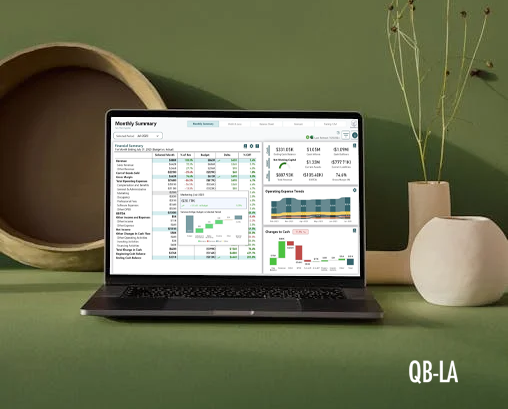
QB-LA: Quickbooks Help in Los Angeles
Bank Feeds and Automation Can Eliminate a Lot of Routine Work
The real advantage of QuickBooks Online is not simply that the software runs in a browser. It is the ability to connect accounting with the other systems a business already uses.
Bank and credit card transactions can flow directly into QuickBooks. Rules can help categorize recurring activity. Transactions can be matched against existing entries. Invoices, payments, payroll, bills, receipts, and third-party applications can increasingly operate as parts of the same accounting workflow.
Intuit has continued improving transaction matching, reconciliation, categorization, and bank connectivity throughout 2026.
None of these tools eliminate the need for good bookkeeping. Automation can just as easily automate a mistake if the accounting setup is poor. But when QuickBooks Online is configured properly and reviewed by someone who understands the books, it can substantially reduce repetitive data entry and make current financial information available much sooner.
Your Accountant Can Work With You Instead of Waiting for Your File
This may be one of the most important benefits for small and midsized businesses. With Desktop, accounting work often becomes periodic. A company sends a backup or Accountant’s Copy, someone makes adjustments, the file is returned, and everyone tries to make sure they are working from the correct version.
QuickBooks Online changes that relationship. Your bookkeeper, accountant, or CFO can have appropriate access to the live accounting system. Questions can be addressed while transactions are still fresh. Reconciliations can be monitored throughout the year. Problems can be corrected before they become several months of cleanup work.
For businesses using QB-LA for ongoing bookkeeping, payroll, tax support, consulting, or Remote CFO services, this can turn accounting from a year-end exercise into an active management tool.
A QuickBooks Conversion Is More Than Clicking “Export”
This is also where we encourage businesses to be careful. Intuit provides tools for moving a QuickBooks Desktop company into QuickBooks Online, and most accounting data can be transferred. However, Desktop and Online are different accounting platforms, and not everything moves in exactly the same way. Some features have different names or workflows, users must be recreated, bank accounts need to be reconnected, and inventory requires special attention because QuickBooks Online uses FIFO inventory accounting from the migration date forward.
A successful conversion therefore involves more than uploading a file. Before moving a client, we want to understand how the Desktop company is being used. That includes reviewing the chart of accounts, customers and vendors, open receivables and payables, payroll, inventory, bank accounts, reporting requirements, integrations, and any unusual workflows that may need to be recreated differently in QuickBooks Online.
After the conversion, the new company should also be verified against the original Desktop file. Intuit recommends comparing key financial statements, including the Profit and Loss and Balance Sheet, between Desktop and Online after the migration. That verification process is an important part of making sure a conversion is actually complete.
A Conversion Is Also an Opportunity to Clean Up the Books
One benefit that is easy to overlook is that a move to QuickBooks Online creates a natural opportunity to review an accounting file that may have accumulated years of clutter.
Old accounts may no longer be necessary. Duplicate customers and vendors may exist. Products and services may need to be reorganized. Bank accounts that were closed years ago may still be sitting on the chart of accounts. Payroll liabilities, undeposited funds, old receivables, or reconciliation discrepancies may need attention.
We frequently find that the best conversion is not simply a perfect copy of the old QuickBooks file. It is a clean, accurate QuickBooks Online company that preserves the financial history the business needs while giving it a better structure going forward.
You Don’t Have to Abandon Your Desktop File
Another concern we hear is that moving to QuickBooks Online somehow means losing the original company file.
It does not.
QuickBooks Online becomes a separate accounting company. Your existing QuickBooks Desktop file remains intact and can be retained as an archive or historical reference. The two systems do not continuously synchronize after the migration, so once the conversion is complete, the business should establish a clear cutoff date and conduct new accounting activity in QuickBooks Online.
For many clients, knowing that the original Desktop file remains available removes a lot of the anxiety surrounding the transition.
So, Is It Finally Time?
For many QuickBooks Desktop businesses, we believe the answer is yes.
QuickBooks Desktop is not suddenly unusable, and we would never recommend converting a company simply because cloud software is newer. The accounting system still needs to fit the business.
But the balance has changed.
QuickBooks Online is more capable than it was even a few years ago. Intuit is investing heavily in its Online platform. Remote accounting has become routine. Automation and integrations are increasingly valuable. And many of the businesses that previously had legitimate reasons to remain on Desktop can now accomplish what they need in QuickBooks Online. If you have been postponing the conversion because QuickBooks Online could not support your business five years ago, it may be time to take another look.
Let QB-LA Handle Your QuickBooks Desktop to Online Conversion
We can review your current Desktop file, identify potential conversion issues, help determine the appropriate QuickBooks Online setup, perform the migration, verify your financial information after the move, and help configure the new company so that your day-to-day accounting continues with as little disruption as possible.
If you have been thinking about making the switch, this may finally be the right time.
Time to update to Quickbooks Online? Let us do the dirty work.
QB-LA works with businesses throughout Los Angeles and beyond to move existing QuickBooks Desktop companies into QuickBooks Online.
We understand both sides of the conversion. We know how longtime QuickBooks Desktop users actually work, and we know that a good migration is not complete until the new QuickBooks Online company makes sense to the people who have to use it.

Service Areas | Low Cost Bookkeeping | Quickbooks Certifications | About QB-LA | Contact Us